
Odyssey Is Smith's Court Entry
Smith Odyssey opens with three public tools, each answering a different question. Search Hearings covers court settings inside a date range. Smart Search covers the case records themselves. Jail Search pulls a party's jail record, and nothing more. A custody entry will not tell you how a charge was resolved, and a hearings list is not the full register of a case. Pick the tool that matches your question before you judge the results.
Two quirks of the portal deserve a warning. The landing page says an inactive session expires after 60 seconds, and the site needs JavaScript, cookies, and a supported browser to work. So if the screen bounces back to the landing page, reopen the tool before deciding a case does not exist. The official Smith Odyssey landing page shows these three search options and their session rules.
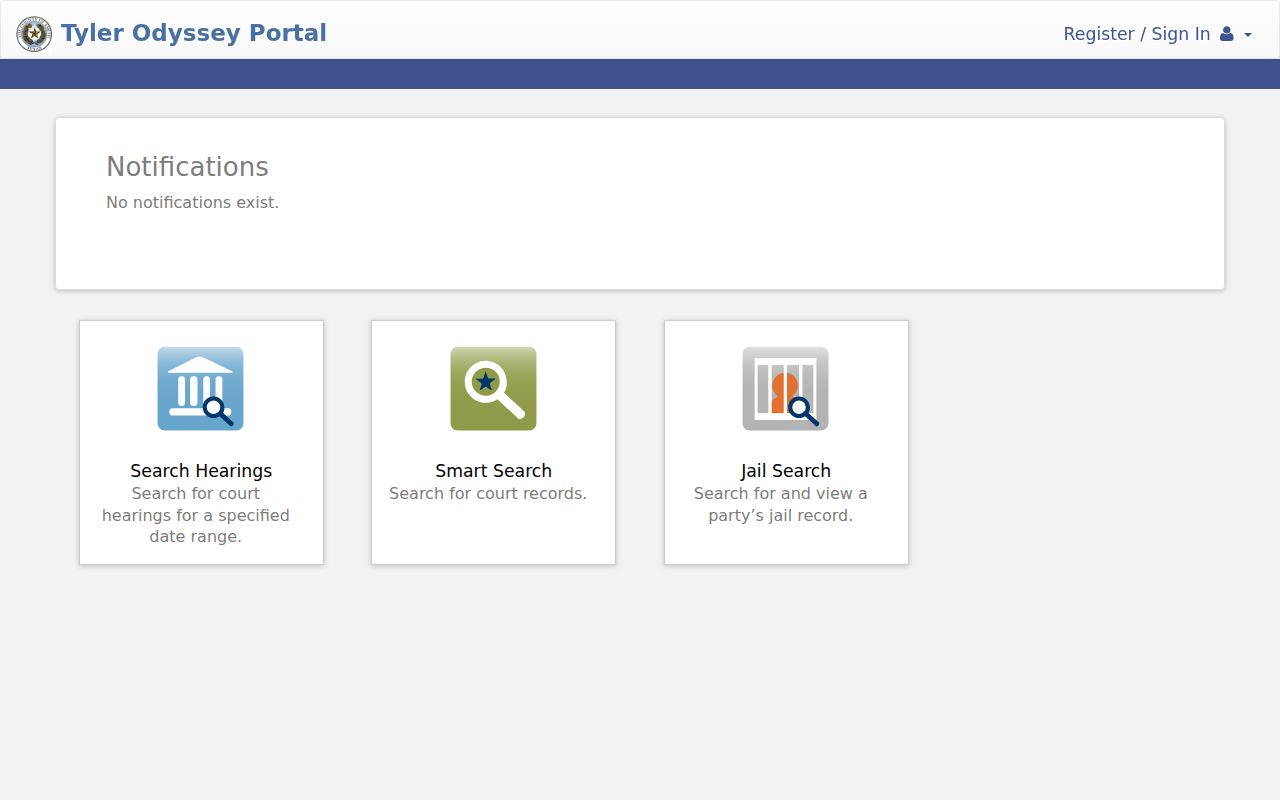
That official page keeps the three choices distinct and the jail data separate from the judicial docket.
Name-Based Case Searches
Type the full name as the current form allows. Never assume one spelling is the only one. Smith County court records can carry initials, prior names, or a filing style that looks nothing like everyday usage, so a near-miss spelling can hide the case you want. A generic Tyler quick-reference guide describes a basic party-name field plus Advanced Search filters, though the live Smith form may not expose every control described there.
- Choose Smart Search, not Jail Search or Search Hearings.
- Enter the name with the least amount of extra text needed for a useful result.
- Use location, person, or case-type filters only when the live Smith interface provides them.
- Open likely results and compare court, filing date, case type, status, and party role.
- Record the cause number before moving to a clerk or court calendar.
| Search item | Use | Caution |
|---|---|---|
| Party name | Find candidates when number is unknown | A shared name is only a lead |
| Location | Narrow the court system | Confirm the Smith option shown live |
| Case type | Separate civil and criminal results | Labels vary by court |
| Date | Distinguish similar cases | Filing and hearing dates differ |
Use Case Number First
One exact cause number beats every other Smith County docket search key. It points to a single court proceeding. Copy it straight from a filed notice, a citation, a prior order, or a portal result. Keep the punctuation and leading zeros exactly as written. There is no single confirmed countywide format, so do not trust an invented sample number.
Use the exact cause number shown by the court
A search that returns nothing does not end the hunt. The number may belong to a municipal, justice, appellate, or federal court rather than this portal. The case might also be too old for the digital index. It might be too new to be indexed yet, sealed, or hidden behind a temporary outage. Fall back to a party-name search. Then call the office that holds the record.
Hearings and Smart Search Compared
Pick the tool by what you need. Search Hearings fits when you want a setting within a known date range. Smart Search fits when you want the case's running event history. A notice may name a date the main case view does not show. When that happens, run both.
| Tool | Question answered | Next check |
|---|---|---|
| Search Hearings | What hearings are listed in this date range? | Open the matching case and verify court |
| Smart Search | What entries and settings appear for this case? | Check the court-specific calendar |
| Jail Search | What custody record appears for this party? | Do not infer the court outcome |
A setting can be reset after a calendar list goes out. Check the event against the Smith County court schedule for the current date. If the sources conflict, call the assigned court.
Case Search Results Explained
Read a result as a set of linked fields, not one name. Identity turns on more than a match. Document access, too, works differently from entry access.
| Court | The tribunal that owns the docket and confirms the setting. |
|---|---|
| Cause number | The identifier to use for later searches and copy requests. |
| Case type | Civil, family, felony, misdemeanor, or another classification. |
| Filing date | When the proceeding entered the court, not each later event. |
| Status | The portal's current open, pending, or disposed label. |
| Events | Dated filings, settings, actions, and results. |
| Documents | Descriptions or images when public electronic access allows. |
A docket line is not a certified copy. When the wording of a judgment, order, or pleading matters, name that item and request it from the proper clerk.
The Recording Portal Trap
Smith Official Public Records belongs to the County Clerk. It is a recording portal, not a court docket. Its search fields cover department or certification date, a search term, and a recorded-date range. There are also quick dates, plus an index-only or full-text OCR scope. The examples it gives run toward grantor, grantee, subdivision, document type, and document number. That is the language of recorded instruments.
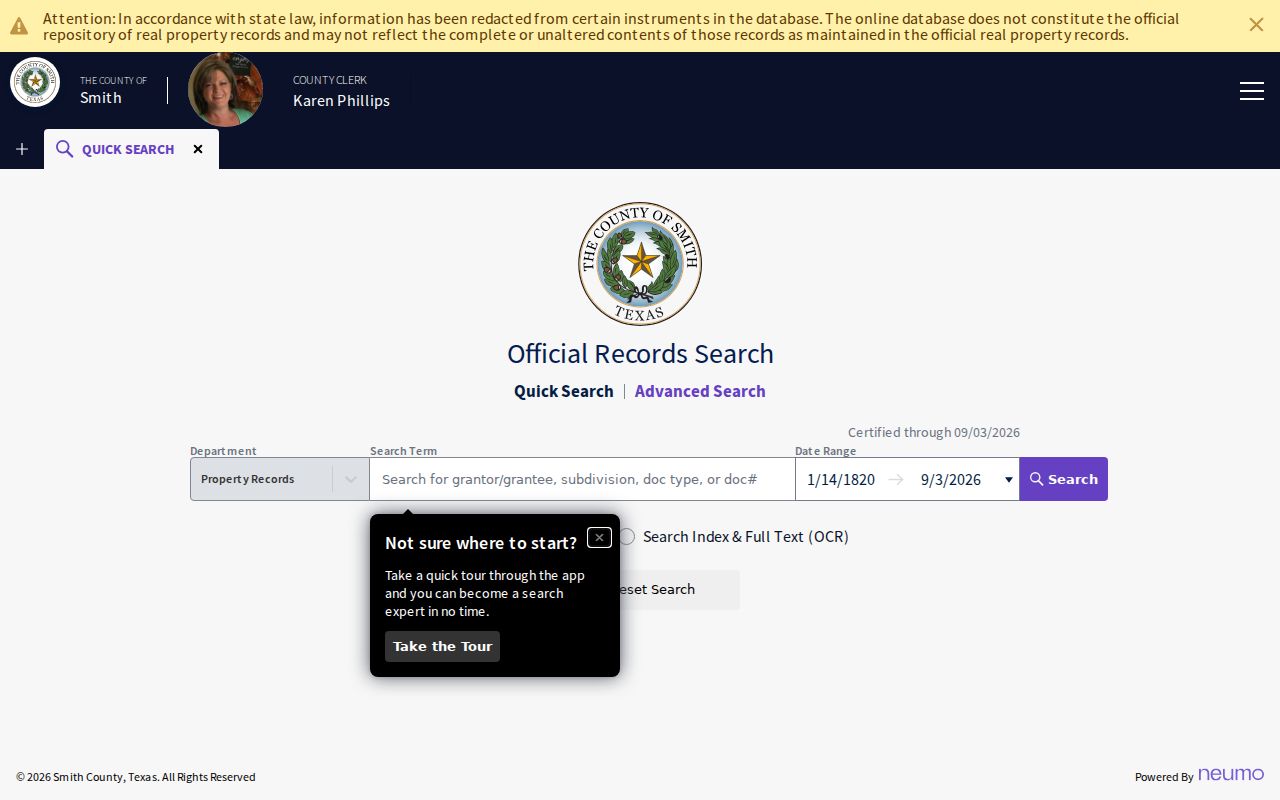
Those fields help with deeds and other recorded instruments, not with lawsuits or criminal cases. For the judicial docket, go back to Odyssey.
System check: Smart Search means court cases. Grantor, grantee, and subdivision mean recorded documents. Jail Search means custody data.
Two Ways to Search: County and State
Smith Odyssey is the local entry point for court records in the county. The state adds two more layers: re:SearchTX, a statewide tool tied to the e-filing environment, and Texas public citation notices, a narrower notice index. Neither one promises a complete copy of every Smith docket.
| Route | Coverage | Best follow-up |
|---|---|---|
| Smith Odyssey | County judicial records and hearings | Assigned court or Smith clerk |
| re:SearchTX | Statewide search layer with access that may vary | Originating court and clerk |
| Texas citation notices | Published notice index | Named court, not a full register |
| PACER | Federal cases | Eastern District of Texas |
Federal matters in the Tyler Division run through PACER, not Odyssey. Appeals from Smith County trial courts go to the Twelfth Court of Appeals. Sitting in Tyler does not make those cases county Odyssey cases.
Find the Correct Clerk
Matching the record to the right clerk saves time and money. Felony and divorce records sit with the District Clerk, at 100 N Broadway, Room 204, Tyler. That office is reachable at 903-590-1660. Class A and B misdemeanor files belong to the right County Clerk division, at 200 E Ferguson, Suite 300. So do County Court at Law civil matters and probate records. Its direct lines are 903-590-4673 for civil, 903-590-4680 for misdemeanor, and 903-590-4677 for probate. Justice and municipal cases stay with their precinct or city court. Only an appeal moves them.
When you call, give the clerk the cause number, court, record type, and date range. Say whether you want a docket sheet, a plain copy, or a certified copy. That way you never pay for the wrong product.
No-Hit Does Not Mean No-Record
An empty result rarely means the record is gone. It can point to the wrong system, court level, spelling, or date range, or to a case not yet indexed, a historical record never digitized, a municipal matter outside Odyssey, restricted access, or an outage. Smith County restored public search on October 21, 2024 after a multi-week outage, which shows how easily a no-hit can mislead.
- Repeat the search with the exact cause number and verified spelling.
- Check whether the matter belongs to a city, justice, appellate, or federal court.
- Use Search Hearings when a date is known.
- Call the proper clerk and ask about older or unindexed records.
- Request the specific copy if the event appears but its document does not.
Smith County Clerk misdemeanor court records go back to 1976. Probate indexes can show up online while the actual images stay available only through the office, so a docket search hit does not always mean you can view the full record.
Which Cases Stay Restricted
Not every court record is public. Sealed cases, juvenile matters, protected family information, confidential identifiers, and certain document images can be withheld or redacted from a Smith County docket search. So a missing name or image proves nothing about the case behind it.
Access framework: Texas Rule of Judicial Administration 12 covers judicial administrative records. Texas Judicial Branch guidance explains that court records are not governed like ordinary executive records. Smith County's public-information page routes requests by custodian.
When a record is restricted, ask the clerk directly. Staff can tell you which rule, statute, or order applies, and whether a public docket sheet or a redacted copy is available for that case. They will walk you through the search and copy process, though they cannot offer legal advice.